Studio RP2040
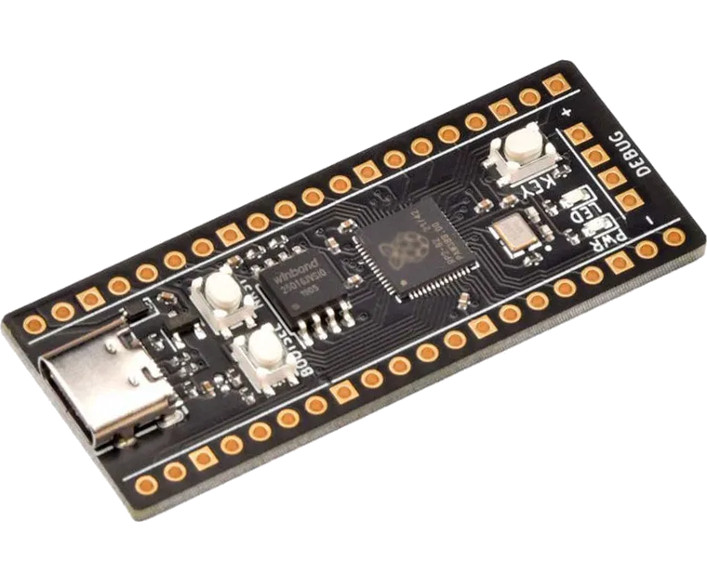
WeAct Studio RP2040
The WeAct Studio RP2040 Board is based on the Raspberry Pi RP2040 and can be purchased with 2/4/8/16 MiB of flash.
These boards are available from a number of resellers and often have the name "Pico Board RP2040". WeAct maintain the WeActStudio.RP2040CoreBoard repository containing information on the board.
Build notes
By default the firmware supports boards with 16MiB flash. This can be
configured using the BOARD_VARIANT parameter. The valid options are
FLASH_2M, 'FLASH_4M', and 'FLASH_8M'.
> cd ports/rp2
> make BOARD=WEACTSTUDIO BOARD_VARIANT=FLASH_8M submodules all  # Build the 8 MiB variant
Board-specific modules
The board module contains definitions for the onboard LED and user button.
Example:
> import board
> board.led.toggle()  # Toggles the state of the on-board LED
> board.key.value()  # Returns 0 or 1 corresponding to the state of the user key
Installation instructions
Flashing via UF2 bootloader
To get the board in bootloader mode ready for the firmware update, execute
machine.bootloader() at the MicroPython REPL. Alternatively, hold
down the BOOTSEL button while pressing reset (NRST). The uf2 file below
should then be copied to the USB mass storage device that appears. Once
programming of the new firmware is complete the device will automatically reset
and be ready for use.
Firmware
Releases
Preview builds
These are automatic builds of the development branch for the next release.
Firmware (4 MiB Flash)
Releases
Preview builds
These are automatic builds of the development branch for the next release.
Firmware (8 MiB Flash)
Releases
Preview builds
These are automatic builds of the development branch for the next release.
Firmware (2 MiB Flash)
Releases
Preview builds
These are automatic builds of the development branch for the next release.